
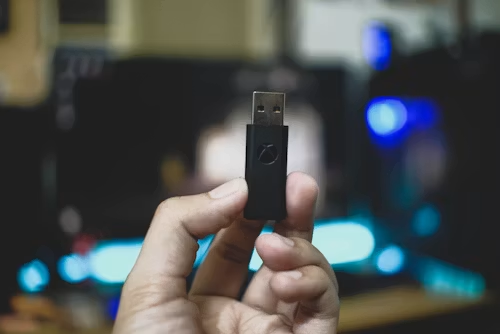
A USB WiFi adapter is a wireless networking device that allows a PC or laptop to connect to a WiFi network without relying on built-in wireless hardware. For gamers, the quality of this connection directly affects ping, latency, packet stability, and overall online gaming performance.
Reducing lag involves much more than buying faster internet. This guide explains why gaming lag happens, how USB WiFi adapters affect performance, and the practical adjustments that can help create a smoother gaming experience.
Why USB WiFi Lag Happens During Gaming?
Many players assume lag is caused only by internet speed, but gaming performance is often influenced by network stability rather than bandwidth.
Several factors contribute to lag:
| Cause | Impact On Gaming |
| Weak signal strength | Increased latency and packet loss |
| Router distance | Slower response times |
| Wireless interference | Connection instability |
| Outdated drivers | Performance inconsistencies |
| Network congestion | Ping spikes during gameplay |
| Poor adapter quality | Reduced signal reliability |
One reason the best low latency USB WiFi adapter for gaming performs better in online matches is that quality hardware can maintain a more consistent connection under changing network conditions.
Signal Strength, Interference, And Distance
Walls, floors, appliances, and neighboring networks all affect wireless performance. The farther an adapter is from the router, the harder it must work to maintain a stable connection.
Microwaves, Bluetooth devices, cordless phones, and crowded apartment WiFi networks can introduce additional interference that impacts gaming responsiveness.
Ping Spikes Vs Slow Download Speed
Many gamers focus on download speed tests, but ping spikes are often the real issue.
A connection capable of downloading large files quickly may still perform poorly in competitive games if latency fluctuates constantly. Stable response times are generally more important than maximum bandwidth.
While connection quality affects responsiveness, adapter settings can often improve performance significantly.
How To Improve USB WiFi Adapter Latency?
Improving latency usually requires optimizing the entire wireless path between the adapter and router.
Use The Right WiFi Band For Gaming
Modern adapters typically support both 2.4GHz and 5GHz bands.
| WiFi Band | Advantages | Disadvantages |
| 2.4GHz | Longer range | More interference |
| 5GHz | Lower latency, higher speeds | Shorter range |
| 6GHz (WiFi 6E) | Minimal congestion | Limited device support |
For most gaming setups near the router, 5GHz provides the best balance of speed and responsiveness.
Improve Adapter Placement And USB Port Choice
Adapter placement often has a larger impact than many users expect.
Helpful adjustments include:
- Using a USB extension cable
- Elevating the adapter above desk level
- Moving it away from metal surfaces
- Avoiding crowded rear USB ports
- Positioning antennas toward the router
The key features of a USB WiFi adapter for gaming become much more valuable when signal quality is optimized through proper placement rather than relying solely on hardware specifications.
Better placement creates a stronger foundation, but software settings also play a major role.
Best Settings For Stable Online Gaming
Network settings can significantly affect wireless gaming performance.
Driver Updates, Power Settings, And Roaming Aggressiveness
Outdated drivers are a common source of instability.
Recommended practices include:
- Install the latest manufacturer drivers
- Disable aggressive power-saving modes
- Enable maximum wireless performance settings
- Keep operating system updates current
- Restart networking hardware periodically
Players searching for a best USB WiFi adapter for competitive gaming often discover that proper driver optimization contributes just as much to stable gameplay as the adapter itself.
Router Placement And Channel Congestion
A poorly positioned router can create dead zones and unstable connections.
For best results:
- Place the router in a central location
- Elevate it above furniture
- Keep it away from thick walls
- Avoid placing it near televisions and large electronics
- Select less congested wireless channels
Many modern routers automatically manage channels, but manual adjustment may help in crowded environments.
Once the network is optimized, avoiding common mistakes becomes the next priority.
Mistakes That Make USB WiFi Gaming Worse
Some gaming performance issues are entirely self-inflicted.
Using Tiny Adapters Too Far From The Router
Ultra-compact adapters are convenient, but they often sacrifice antenna size and signal reception.
People researching how to choose USB WiFi adapter for gaming frequently underestimate how important antenna design becomes when gaming far from the router.
A larger adapter with external antennas may dramatically outperform a smaller model in long-range situations.
Ignoring Heat, Obstructions, And Background Downloads
Background processes can quietly consume bandwidth and increase latency.
Common culprits include:
- Automatic game updates
- Cloud backups
- Streaming services
- File synchronization software
- System updates
Similarly, adapters operating in poorly ventilated areas may experience performance degradation during extended gaming sessions.
Many of the common problems of USB WiFi adapters for gaming & their solutions stem from environmental factors rather than defective hardware.
Addressing these issues often delivers immediate improvements without purchasing new equipment.
Measuring Whether Your Changes Worked
After making adjustments, verify performance improvements through testing.
Monitor:
| Metric | What To Watch |
| Ping | Lower average latency |
| Jitter | Consistent response times |
| Packet Loss | Near-zero loss |
| Signal Strength | Stable wireless connection |
| In-Game Performance | Reduced lag spikes |
Testing during peak internet usage hours provides the most realistic results.
Consistent measurements over several days are more reliable than a single speed test.
FAQs
Does A USB WiFi Adapter Reduce Ping?
Yes. A higher-quality adapter with better signal reception can lower latency and improve connection stability when compared with weaker wireless hardware.
Is A USB WiFi Adapter Good Enough For Competitive Gaming?
Yes, in many cases. Modern adapters can deliver excellent performance when paired with a strong router, proper placement, and optimized settings.
Should I Use 2.4GHz Or 5GHz For Gaming?
For most gamers, 5GHz is preferred because it generally offers lower latency and less interference than 2.4GHz.
Do External Antennas Improve Gaming Performance?
Yes. External antennas typically provide stronger signal reception and better range, particularly in larger homes.
Can Driver Updates Improve Gaming Latency?
Yes. Updated drivers often improve stability, compatibility, and wireless performance, which can contribute to lower latency.
Final Verdict
Reducing ping and lag with a USB WiFi adapter involves more than upgrading hardware. Signal strength, adapter placement, router configuration, driver optimization, and network congestion all influence gaming performance. By addressing these factors together, gamers can often achieve noticeably smoother gameplay and more consistent online experiences without changing their internet plan.